
Fitness
- Goal
- Get fit before January
- When
- Repeat · Gym Mon / Wed / Fri
- Today
- 30-minute workout
A clear next step for every goal
Doiva is a productivity web app that helps you turn big goals into smaller daily, scheduled, and repeating actions and track your progress.
Start with Free. No payment required.
Install Doiva on this device for faster access.
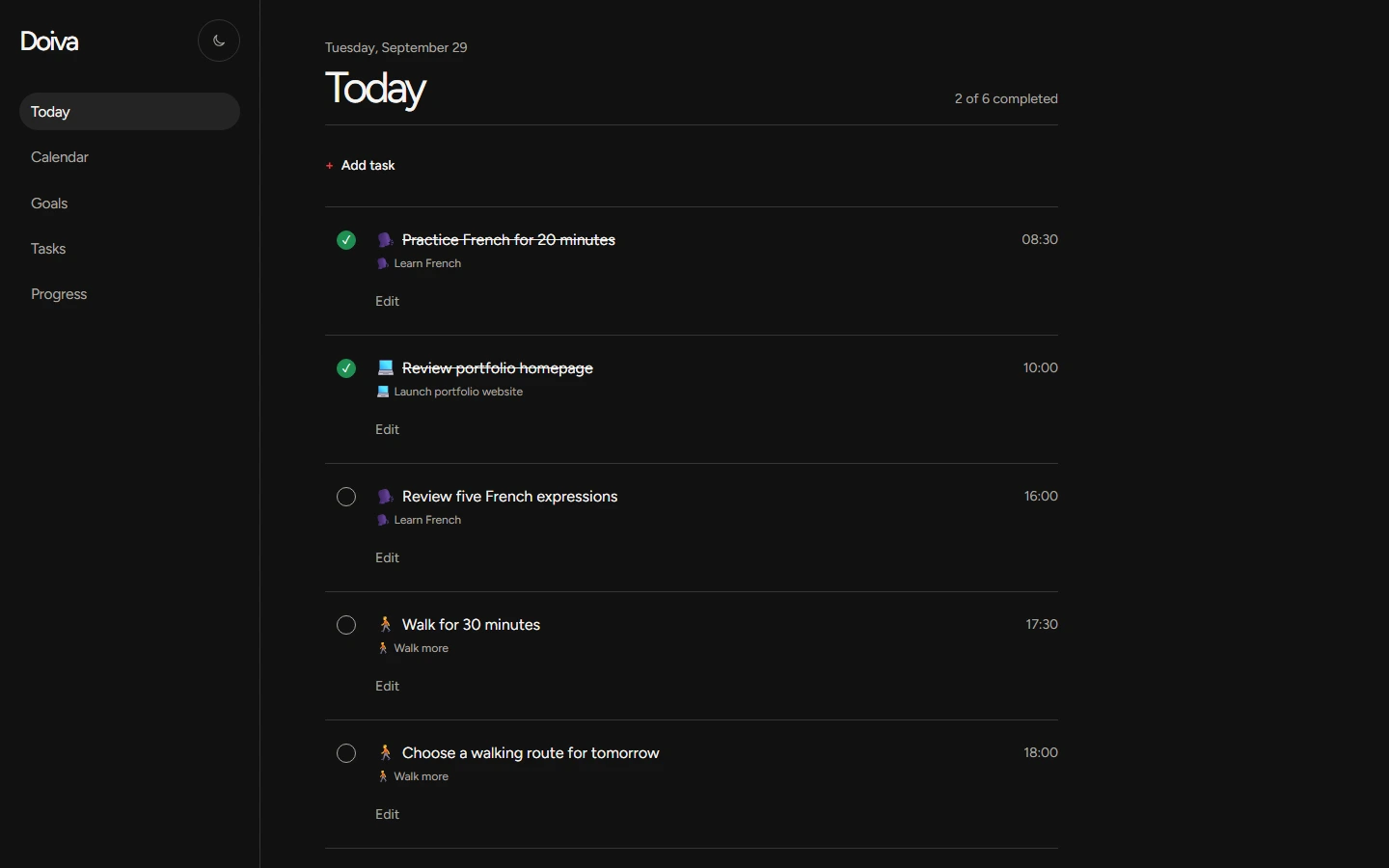
Your next actions, in one place. Real Doiva screens with example data.
A smaller way forward
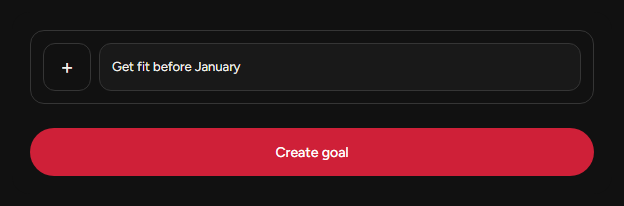
Get fit before January
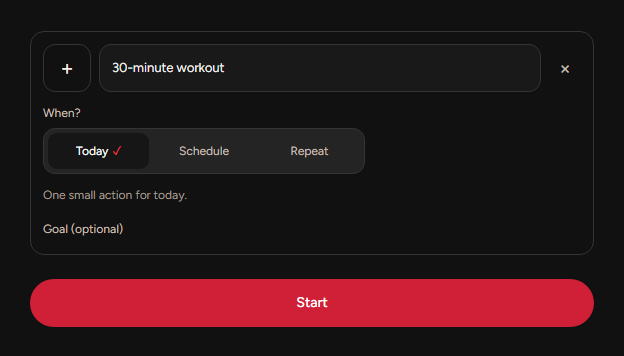
30-minute workout
Goal → actions → Today
A goal gives you direction. Smaller actions give you somewhere to start.
The direction you’re working toward.
Gym Run Meal prep
One action you can do now.
01 / Set the direction
Write what you want to achieve. Then turn it into actions you can actually do.
Big enough to matter.
Small enough to start.
02 / Make room for the action
Do it today. Schedule it for later. Or make it repeat.
03 / Focus on now
You don’t need to think about the whole goal every day. Just focus on the next actions.
Stop planning the whole goal.
Start the next action.
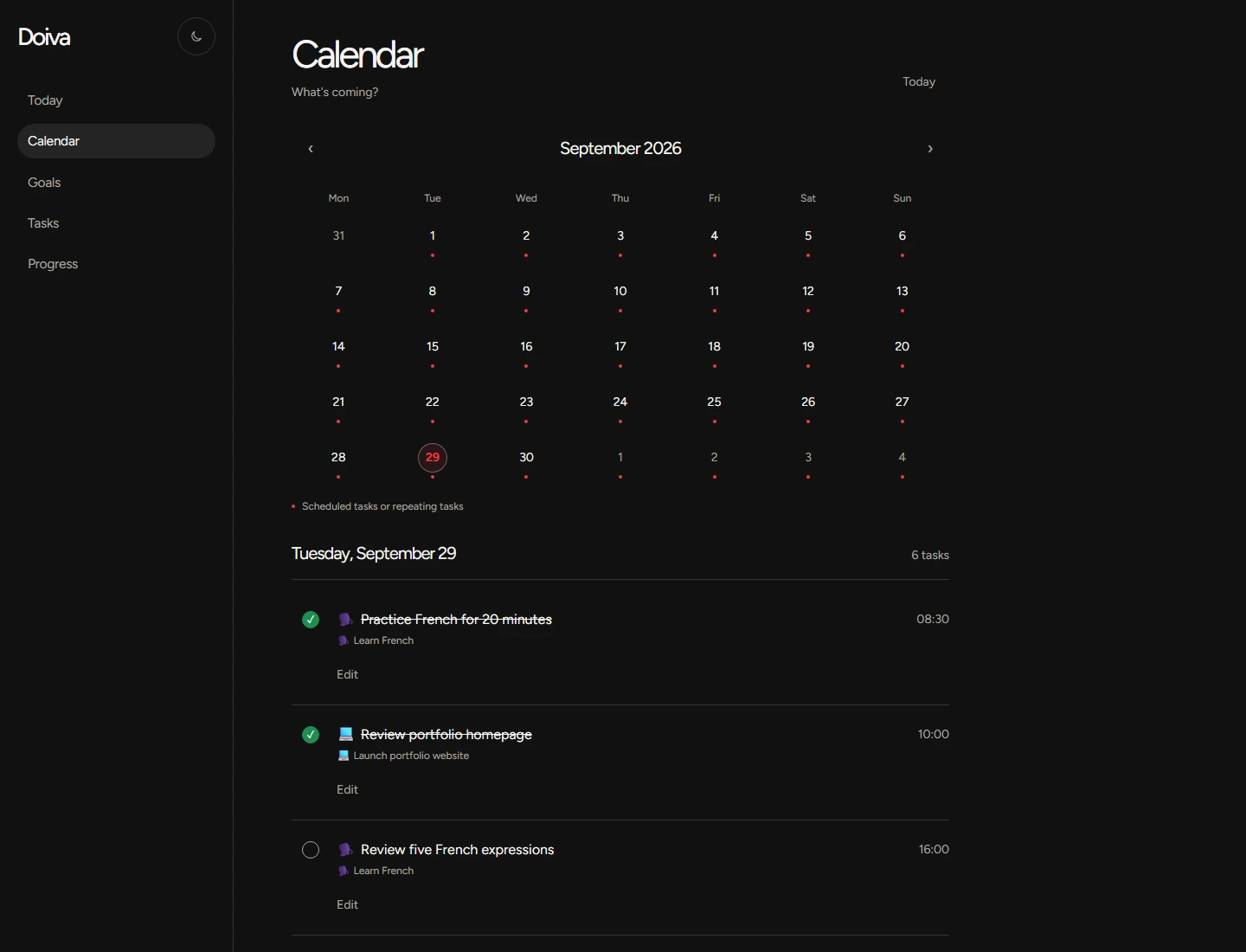
A little further ahead
Keep future actions visible without cluttering Today. Choose a date and find your scheduled tasks in Calendar.
A rhythm worth keeping
Small actions repeated over time move the goal forward. Choose the days that fit your week.
Routine examples
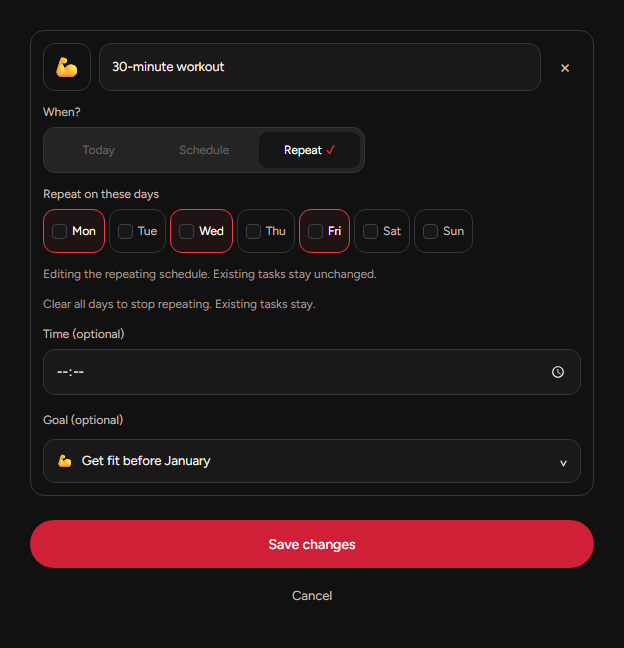
04 / See it add up
Completed actions. The days you showed up. Progress toward your goals. Small steps become something you can see.
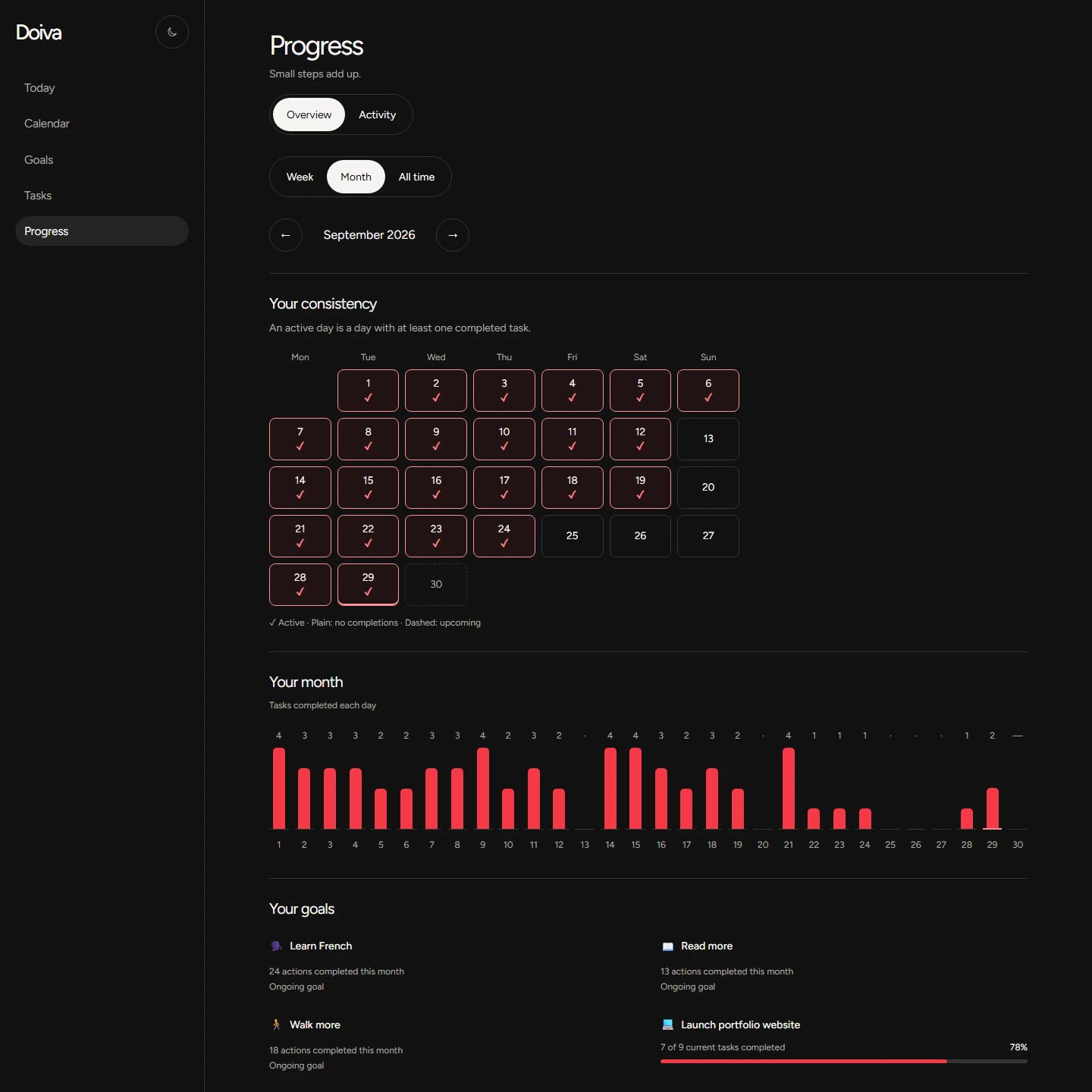
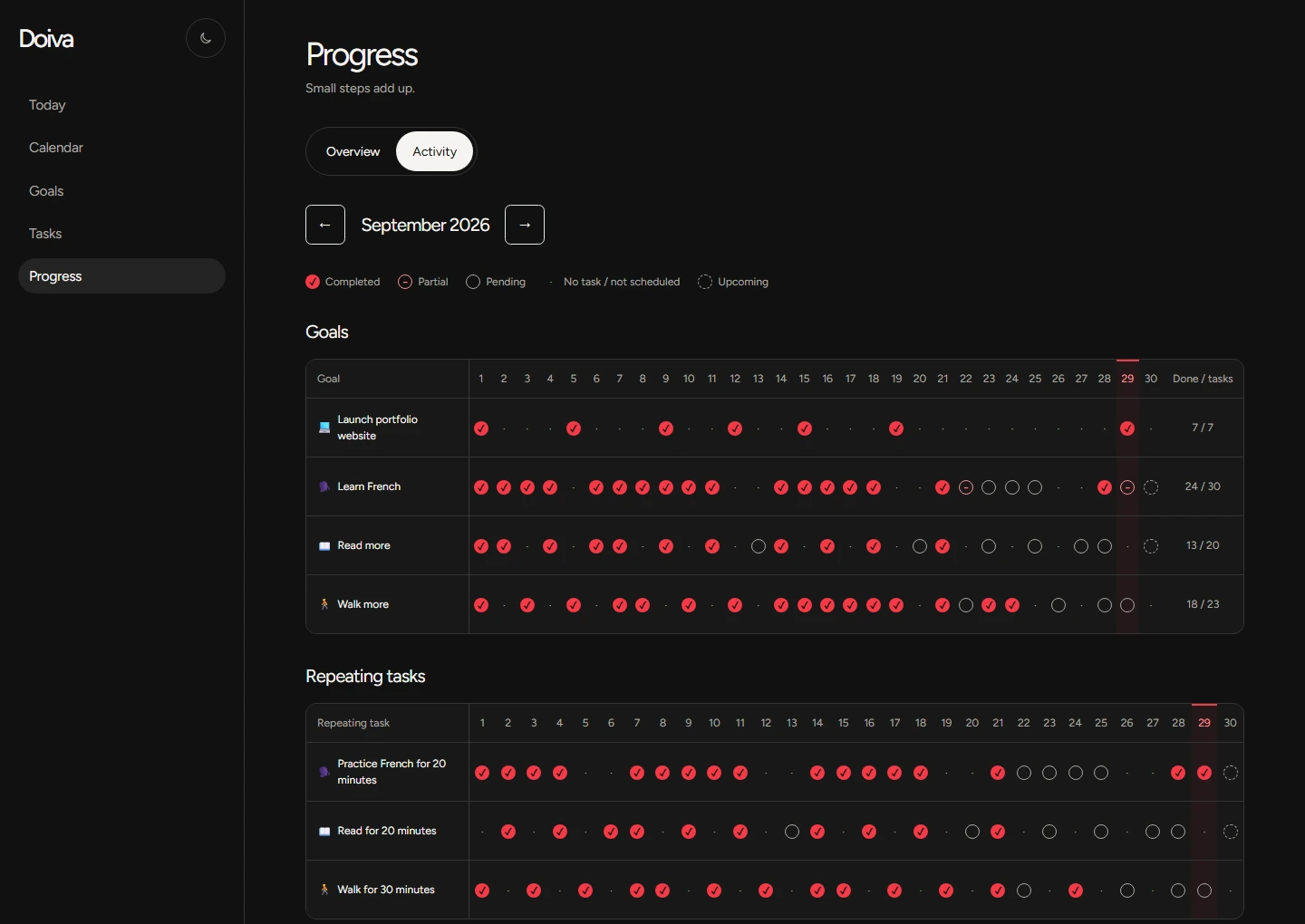
Example data in the real interface. Every step stays yours.
Make it yours
A few examples of turning a direction into something doable.
How it works
Start small. Adjust as you go.
Write what you want to achieve.
Choose Today, Schedule, or Repeat for each task.
See your next actions and check them off.
Come back to your completed actions and activity.
The product is the proof
A goal connects your actions. Repeat gives them a rhythm. Calendar keeps the future visible. Today keeps the next step close. Progress shows what you’ve done.
Room to keep going
Your starting point
Daily planning, without a payment.
More room for your goals
Everything in Free, with more space.
A few useful answers
Doiva is a goal and action planning web app. Turn a goal into smaller tasks, choose when they happen, and see your progress.
Yes. Free includes Today, Calendar, repeating tasks, the goal library, and progress tracking, within the active goal and task limits shown above. Pro offers unlimited active goals and tasks.
Create a goal, then add smaller actions to it. Tasks keep their goal context so you can see what each step is moving toward.
Yes. Choose Schedule in the task composer and select a date. Your future actions appear in Calendar.
Yes. Choose Repeat and select the weekdays. You can edit or stop the repeating schedule; existing tasks stay unchanged.
Yes. Progress shows completed actions, daily activity, and progress toward your goals.
Yes. Doiva works in your mobile browser with a responsive interface.
No. Use Doiva in your browser. You can also install it as a web app on supported devices; installation options depend on your browser.
Big goals. Smaller steps. Today.